Here are the steps to change my avatar picture:
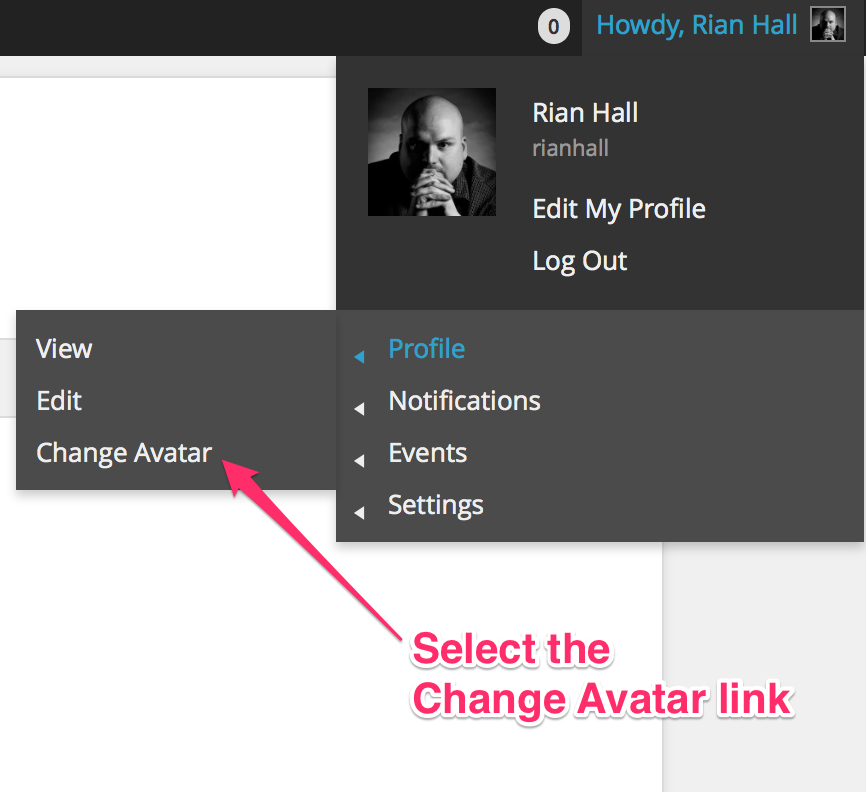
- Click the Change Avatar link from your Profile section located in the upper right corner of the screen.

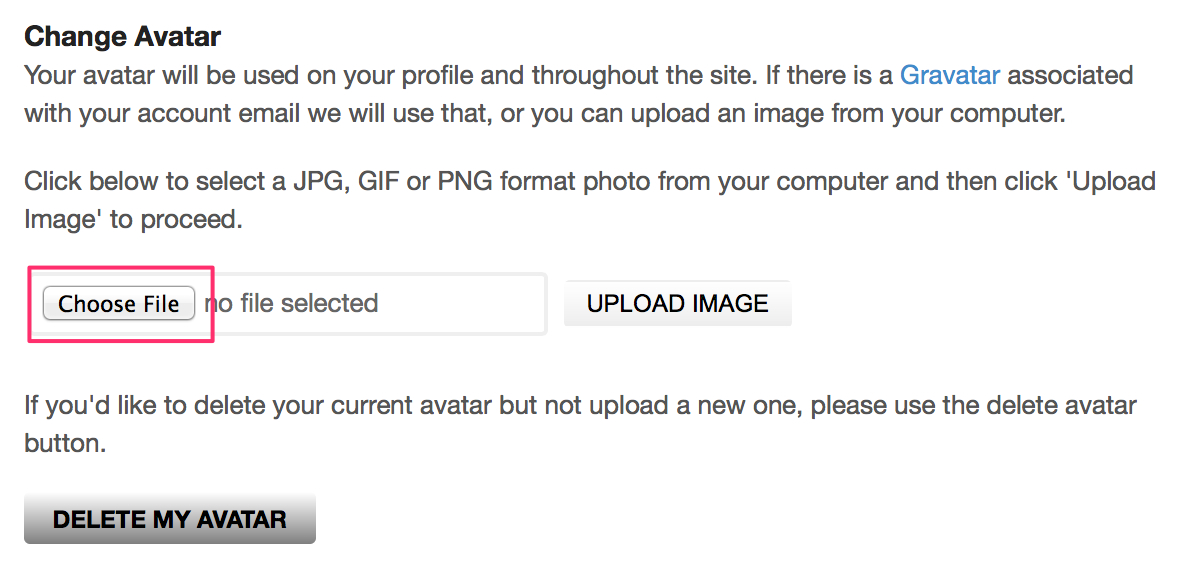
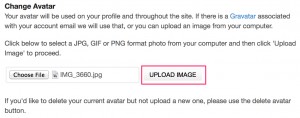
- Click the Choose File button and select a picture for your avatar.
- Click the Upload Image button.
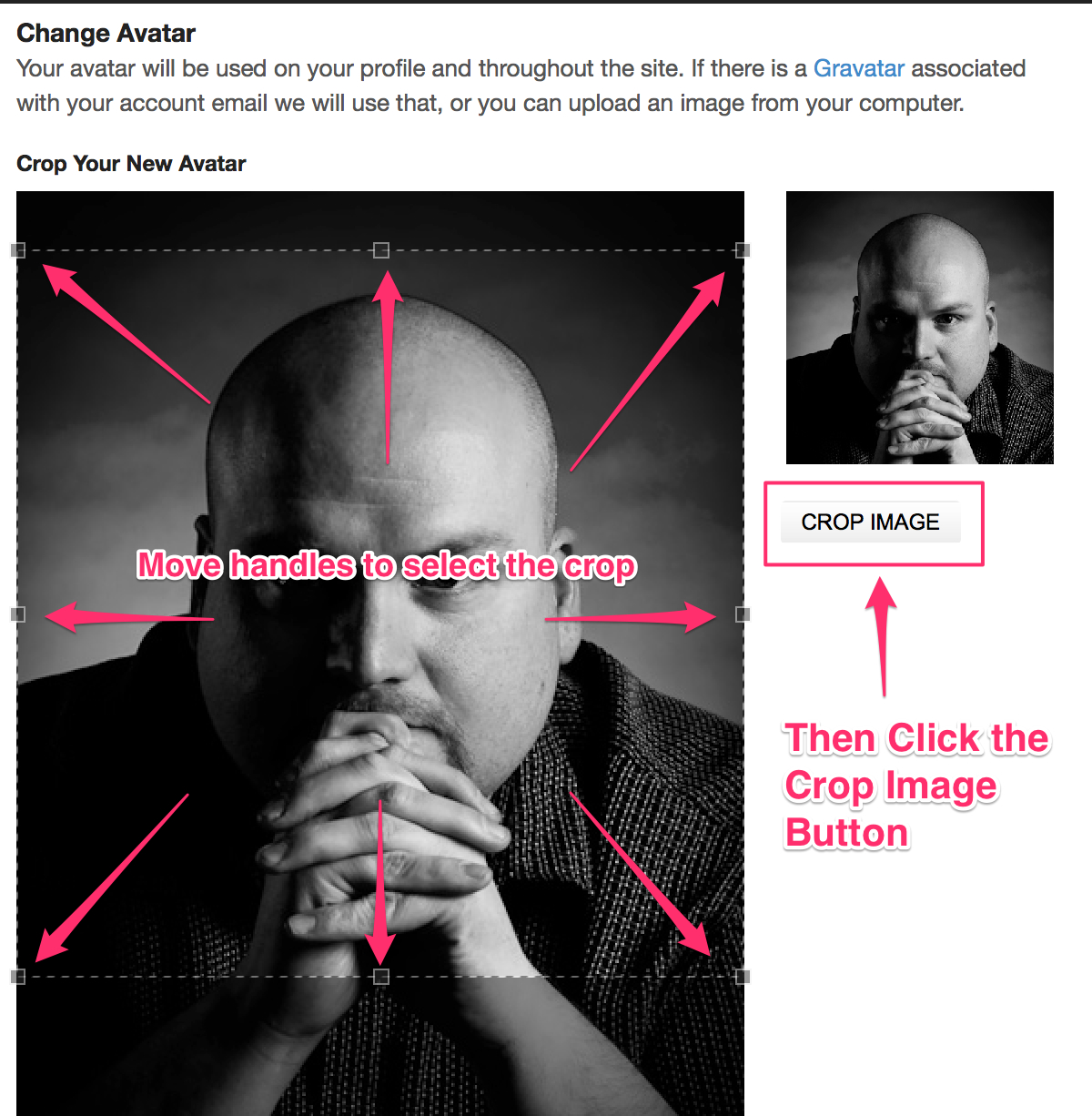
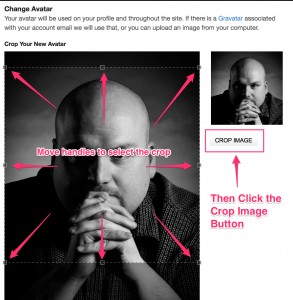
- Move the handles surrounding the image until you get a crop that satisfies you.
Then click the “Crop Image” button
- You’re Done